Most lists of email design trends show pretty mockups. This one asks a duller question: will the trend survive the inbox? For each of the ten trends below we checked what mail clients support today, using caniemail.com and the providers' own help pages, all read on 26 November 2026.
A note on the data. caniemail tests each feature client by client and publishes the results. Its data file was last updated on 16 September 2026, but each feature has its own test date, and some tests are several years old. We give the date when it matters. Its "estimated support" figure is caniemail's own score across the clients it tests. It is not a share of your readers.
TL;DR
- Design for dark mode, but don't rely on dark mode CSS.
prefers-color-schemeworks in Apple Mail and most Outlook apps, but not in Gmail or Yahoo Mail. - Classic Outlook for Windows is not going away in 2027. Microsoft says existing installs are supported until at least 2029. Keep table layouts and fallbacks.
- Inbox summaries are now a design input. Apple Mail can show a summary in place of your preview text, and the Gmail app shows Gemini summary cards on longer threads. Put the point of the email in the first lines of live text.
- Live text beats image-only emails, for summaries, for screen readers and, if you sell online in the EU, for the European Accessibility Act.
- BIMI puts your logo next to the From name, but it needs a strict DMARC policy and a VMC or CMC certificate.
- One-click unsubscribe is a requirement at volume, not a design choice. Gmail requires it above 5,000 messages a day.
- Skip AMP and CSS-only interactivity for most campaigns. Support is narrow. A GIF still plays almost everywhere.
The trends at a glance
| Trend | Client support today | Effort | Adopt in 2027? |
|---|---|---|---|
| Dark-mode-safe design | prefers-color-scheme about 42% on caniemail. No Gmail, Yahoo Mail or classic Outlook for Windows |
Medium | Yes |
| Planning for classic and new Outlook | Classic Outlook supported until at least 2029 | Low, if you keep tables | Yes |
| Summary-first copy | Apple Intelligence in Mail, Gemini summary cards in the Gmail app | Low | Yes |
| Live text and accessible markup | lang and role widely supported. EAA applies since 28 June 2025 |
Medium | Yes |
| Mobile-first single column | @media about 80%, partial in most clients, none in classic Outlook |
Low | Yes |
| Flexbox and grid layouts | About 83%. None in classic Outlook for Windows | Medium | Only with a table fallback |
| BIMI logo and checkmark | Gmail, Apple, Yahoo and others show logos. Checkmark in Gmail needs a VMC | High | If you already have DMARC at enforcement |
| Visible one-click unsubscribe | Required by Gmail above 5,000 messages a day | Low | Yes |
| Custom web fonts | @font-face about 24%. Not Gmail |
Low | Only with a good fallback stack |
| Interactive email (AMP, CSS) | AMP about 16%. :checked about 41%, not Gmail |
High | Mostly no |
1. Dark-mode-safe design
Readers open email in dark mode, and clients handle it in three ways. Some leave your colours alone, some invert them, and some let you write your own dark styles.
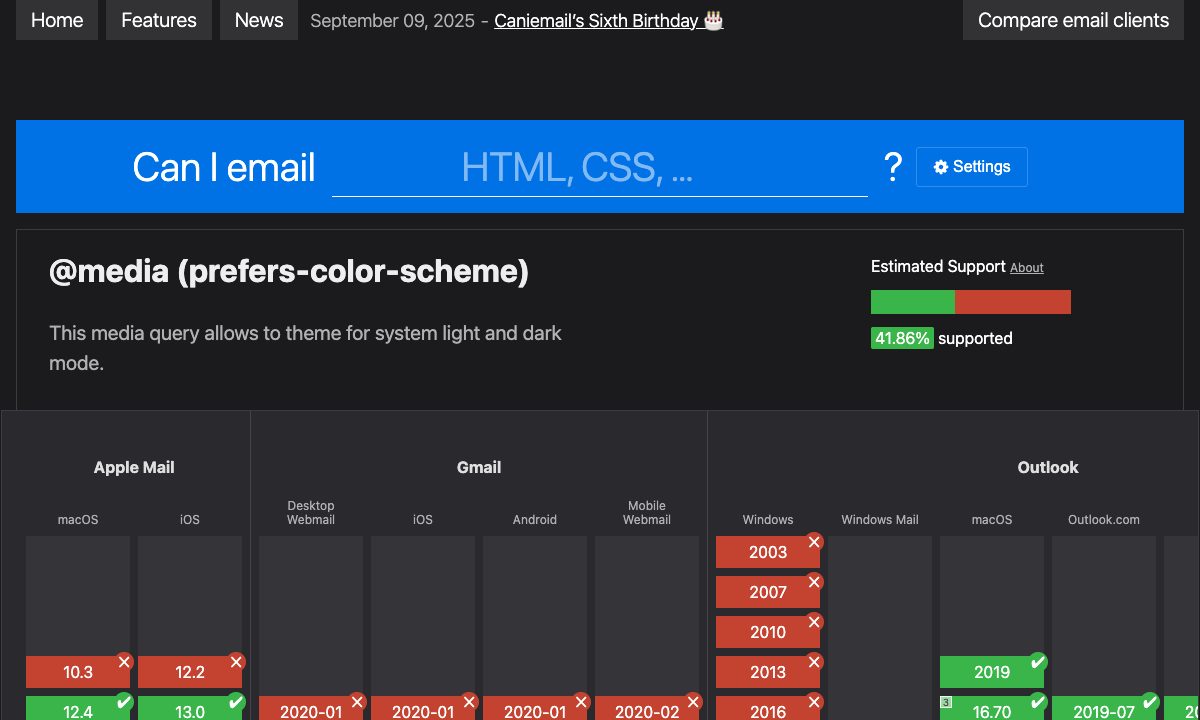
Support today. caniemail lists @media (prefers-color-scheme) as supported in Apple Mail on macOS and iOS, Outlook for Mac, Outlook.com, the Outlook iOS and Android apps, and Samsung Email. It is not supported in Gmail (web and apps), Yahoo Mail or classic Outlook for Windows. Estimated support is 41.86%. Those tests date from 2022 and 2023.
The newer tools are weaker. The color-scheme property scores 16.28%, and caniemail lists the light-dark() function as working only in Apple Mail, with partial support in Samsung Email (tested in August 2024).
What to do. Write dark styles for the clients that read them, then design so the email still works when a client inverts it:
- Use logos with a transparent background and a light outline or padding, so they don't vanish on dark grey.
- Avoid text inside images. An inverted background behind a fixed image looks broken.
- Don't use pure black on pure white. Inverted, it becomes harsh.
- Check contrast in both modes. Contrast for non-designers explains the ratios.
Verdict: adopt. It is the trend with the widest reach, because every client shows dark mode somehow.
2. Planning for classic and new Outlook
Microsoft is moving Windows users from classic Outlook to the new Outlook for Windows. That shift matters for email design, because classic Outlook for Windows is the client most likely to break modern CSS.
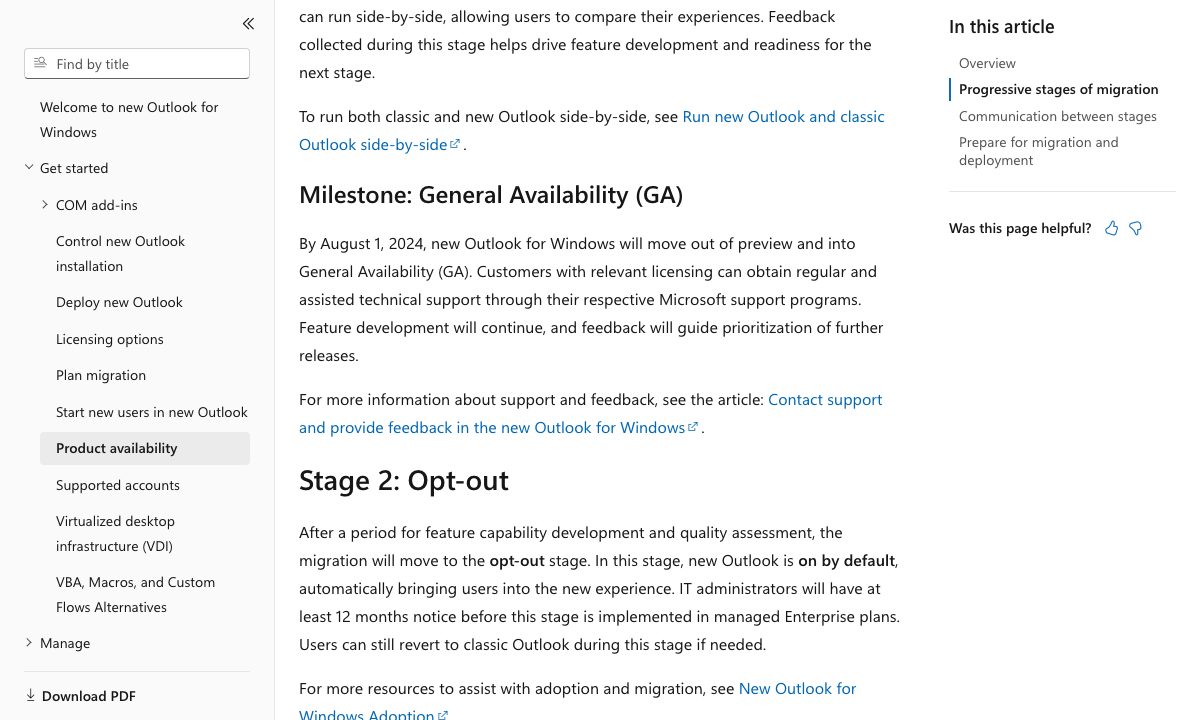
The timeline. Microsoft's product availability guide sets out three stages:
- Opt-in, the current stage on that page. New Outlook is off by default, and users can try it with a toggle.
- Opt-out. New Outlook is on by default, but users can still switch back. Admins get at least 12 months' notice.
- Cutover. Users can no longer switch back. Again with at least 12 months' notice.
The same page says existing installs of classic Outlook "will continue to be supported until at least 2029."
Support today. In caniemail's tests, classic Outlook for Windows (versions 2007 to 2019) doesn't support display:flex, display:grid, @media queries or prefers-color-scheme.
What to do. Keep the table-based skeleton and the Outlook-only fallbacks for 2027. Classic Outlook will still be on many work desktops. Use modern CSS as an extra layer for clients that read it, not as the base.
Verdict: adopt the plan, not a rewrite. Nothing in Microsoft's timeline lets you drop classic Outlook in 2027.
3. Summary-first copy for AI inbox summaries
Both Apple and Google now summarize email for the reader. This changes which part of your email gets seen first.
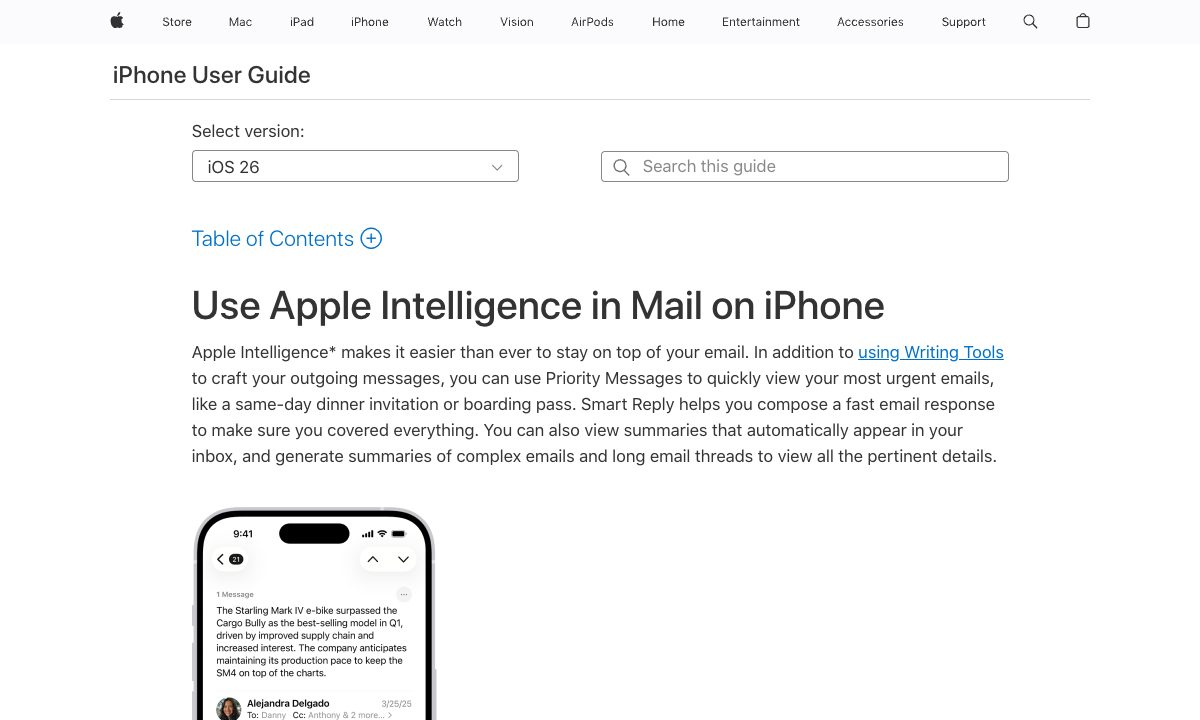
Apple Mail. Apple's iPhone User Guide says that with Apple Intelligence, "a short summary automatically appears under each email in your inbox." On the Mac, the guide says this happens under each unread email. Readers can turn the summary previews off and see the first lines of the message instead. Apple Intelligence isn't available on every device, language or region.
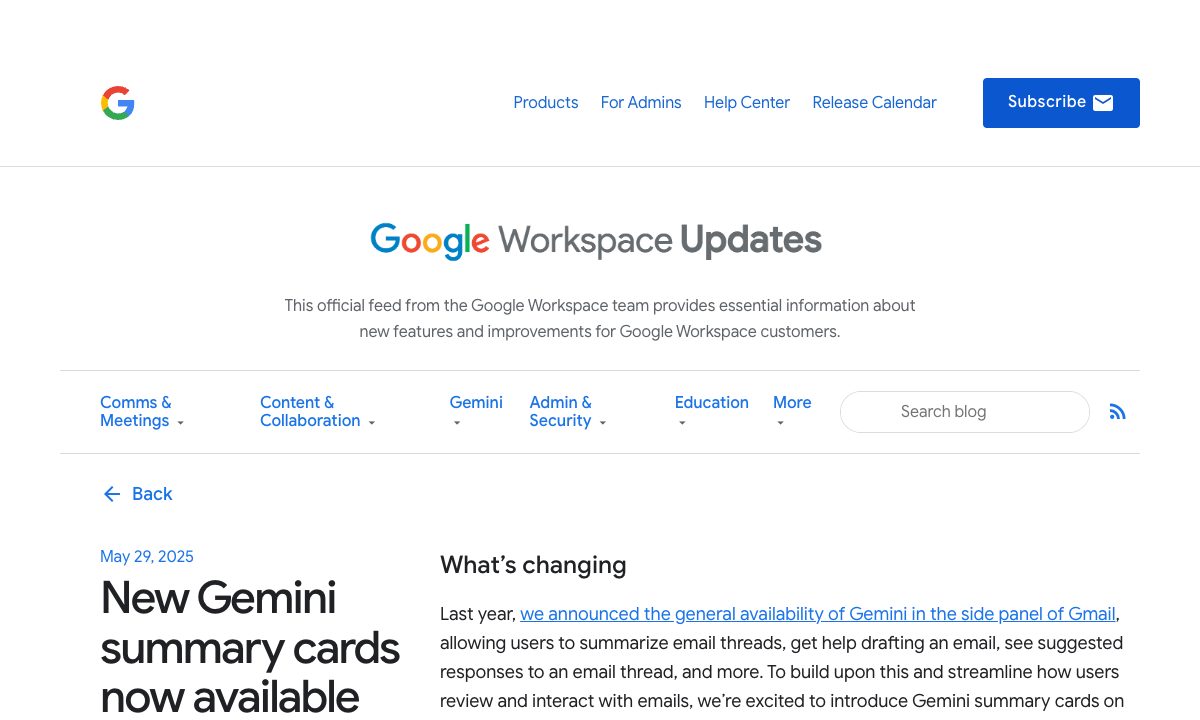
Gmail. Google's Workspace Updates post of 29 May 2025 introduced Gemini summary cards in the Gmail app on Android and iOS. The cards appear at the top of emails "where a summary is helpful, such as longer email threads." The post says the feature is available for emails in English only, and that it needs smart features turned on.
What to do.
- Say the one thing that matters in the first two lines of live text. A summary can only work with the text it can read.
- Don't hide the offer, the date or the action inside an image.
- Keep writing preview text, but don't count on it being shown. In Apple Mail, a summary can take its place.
- Use one clear call to action. A summary of three competing asks helps no one.
Verdict: adopt. It costs nothing, and it also helps readers who skim.
4. Live text and accessible markup
Image-only emails, one big picture with the text baked in, fail screen readers, fail summaries and fail when images are blocked. The fix is live HTML text with a few accessibility attributes.
Support today. On caniemail, the lang attribute is supported in Apple Mail, Gmail, Outlook (including classic Outlook for Windows) and Samsung Email, with partial support in Yahoo Mail. The role attribute is supported in most clients, which matters for role="presentation" on layout tables. aria-label works in most clients, but not in Yahoo Mail or Windows Mail.
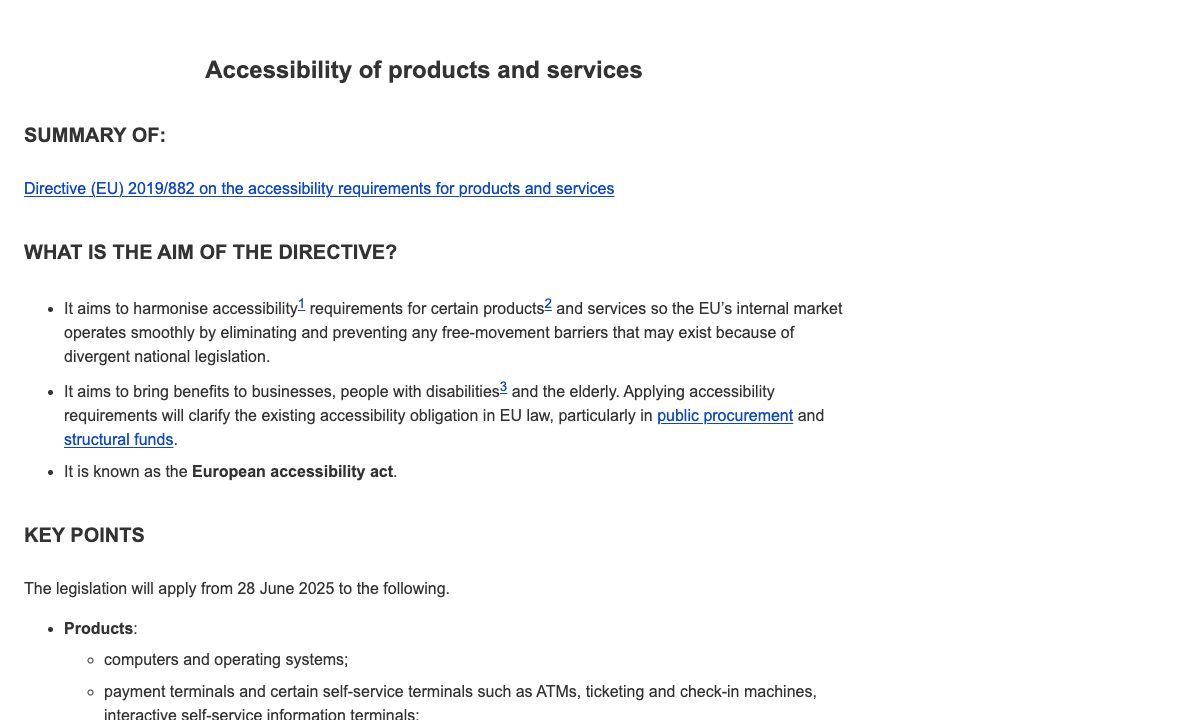
The legal side. The European Accessibility Act, Directive (EU) 2019/882, has applied since 28 June 2025. The EUR-Lex summary lists e-commerce among the services it covers. The summary does not mention marketing email by name, so check with a lawyer whether your emails fall under it. Accessible email is worth doing either way.
What to do.
- Set
langon the<html>tag. - Add
role="presentation"to layout tables. - Write real
alttext, and leave it empty on decorative images. - Keep body text at 16px or larger, and check contrast.
Verdict: adopt. It is cheap and it helps every reader.
5. Mobile-first single column
A single column that reads well on a phone is still the safest layout. The trend is to make it work without media queries, then use them as a bonus.
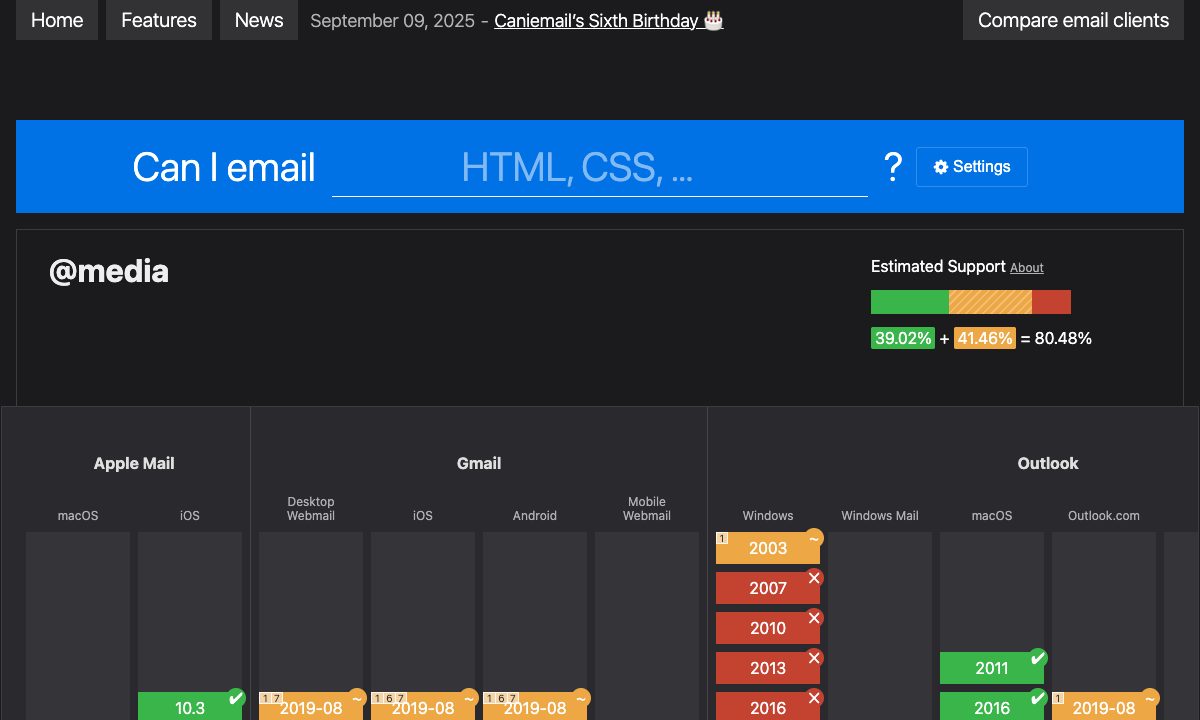
Support today. caniemail rates @media at 80.48%, but most of that is partial. Gmail doesn't support height-based queries. In the Gmail apps, media queries don't work with non-Google accounts. Yahoo Mail supports only width and height queries. Classic Outlook for Windows and Windows Mail don't support them at all.
What to do. Build a fluid single column with a max width around 600px, so it fits a phone without any query. Then use @media (max-width: …) for refinements, like larger buttons.
Verdict: adopt. It has been good advice for years, and it still is.
6. Flexbox and grid layouts
Web designers want to use the layout tools they use on websites. In email, caniemail now shows them working in most clients, with one big exception.
Support today. caniemail rates both display:flex and display:grid at 82.93%. Grid works in Apple Mail, Gmail on the web, Outlook for Mac, Outlook.com, the Outlook apps, Yahoo Mail and Samsung Email. In the Gmail apps it works only with Google accounts (tested March 2026). Classic Outlook for Windows and Windows Mail don't support either.
What to do. Use flex or grid only where a stacked fallback is fine, for example a row of product cards that can collapse into a column. Keep the main structure in tables.
Verdict: adopt with care. Don't build the whole email on it while classic Outlook is in your audience.
7. BIMI logos and the verified checkmark
BIMI, Brand Indicators for Message Identification, lets mail clients show your logo next to your emails. It is a design trend in a way, because the logo is the first thing a reader sees.
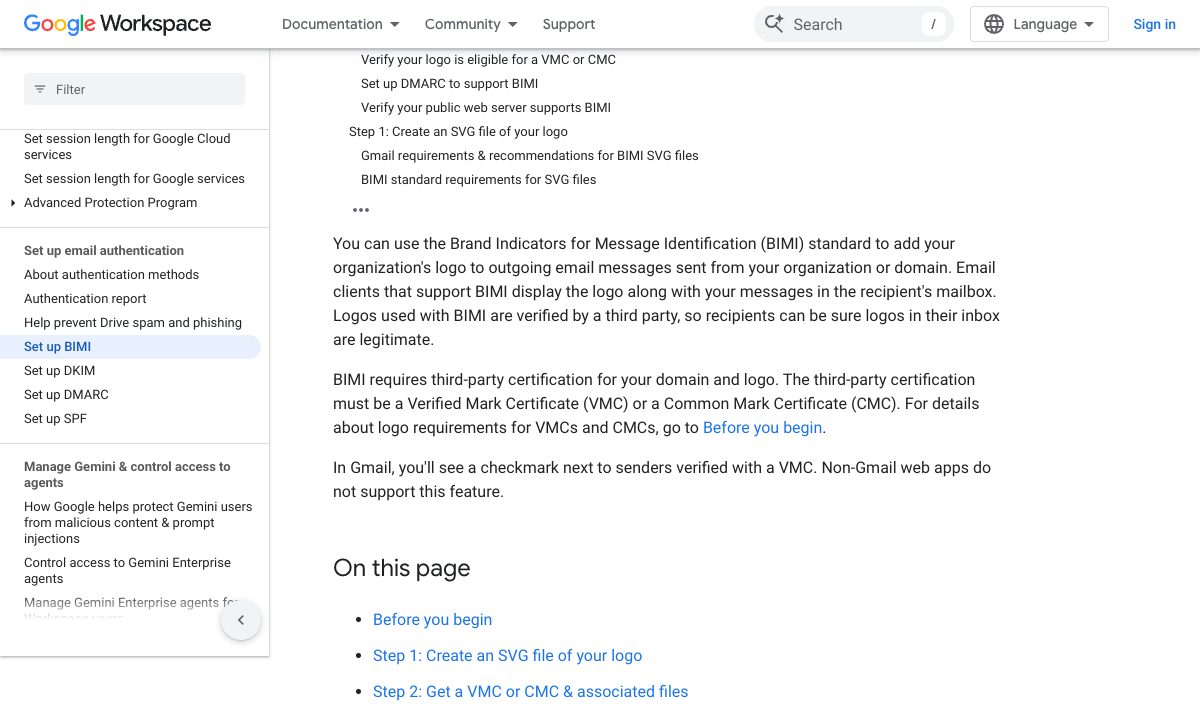
What Gmail requires. Google's Set up BIMI page says:
- You need a Verified Mark Certificate (VMC) or a Common Mark Certificate (CMC) from a certificate authority.
- A VMC needs a trademarked logo. Google says the trademark process can take 6 to 12 months.
- DMARC must be set to
p=quarantineorp=reject, withpct=100. A policy ofp=nonedoesn't work. - In Gmail, a checkmark appears next to senders verified with a VMC.
- The logo must be an SVG file.
Where logos show. The BIMI Group's page, last revised in 2022, lists Apple, Gmail, Yahoo, Fastmail, La Poste and others as showing BIMI logos in an open message. Each provider decides where, and can refuse to show a logo.
Verdict: worth it if your DMARC policy is already at quarantine or reject. If not, start with DMARC. It protects your domain whether or not you ever add a logo.
8. A visible one-click unsubscribe
Unsubscribing used to be a footer link and nothing more. For bulk senders it is now also a pair of email headers, and Gmail makes them a rule.
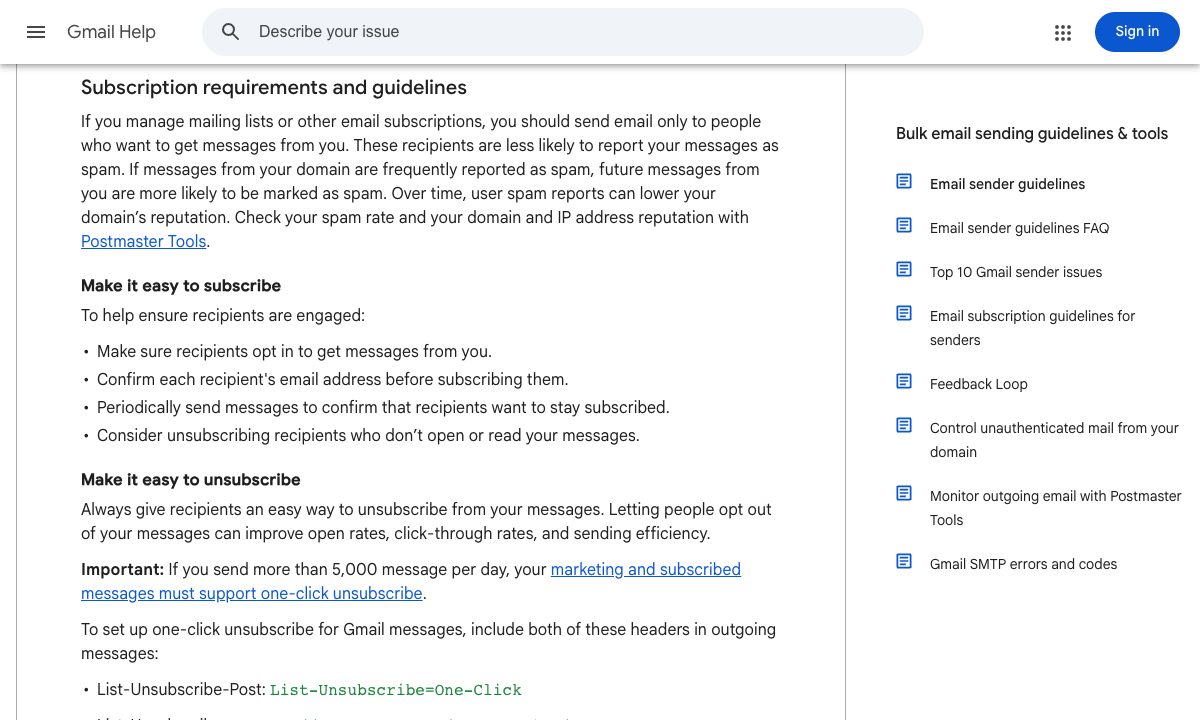
What Gmail requires. Google's Email sender guidelines say that if you send more than 5,000 messages a day, your marketing and subscribed messages must support one-click unsubscribe. That means two headers, List-Unsubscribe-Post: List-Unsubscribe=One-Click and List-Unsubscribe, as defined in RFC 8058. The same page asks senders to keep their spam rate in Postmaster Tools below 0.10% and never reach 0.30%.
The design side. Google's page says letting people opt out can improve open rates, click-through rates and sending efficiency, and it suggests letting recipients choose which lists they leave. So put a plain, readable unsubscribe link in the footer, with a "manage preferences" link next to it. Don't shrink it or hide it in pale grey text.
Verdict: adopt. Our cold email spam checklist covers the authentication side.
9. Custom web fonts with a fallback stack
Brand fonts in email look great where they work. They don't work in most places.
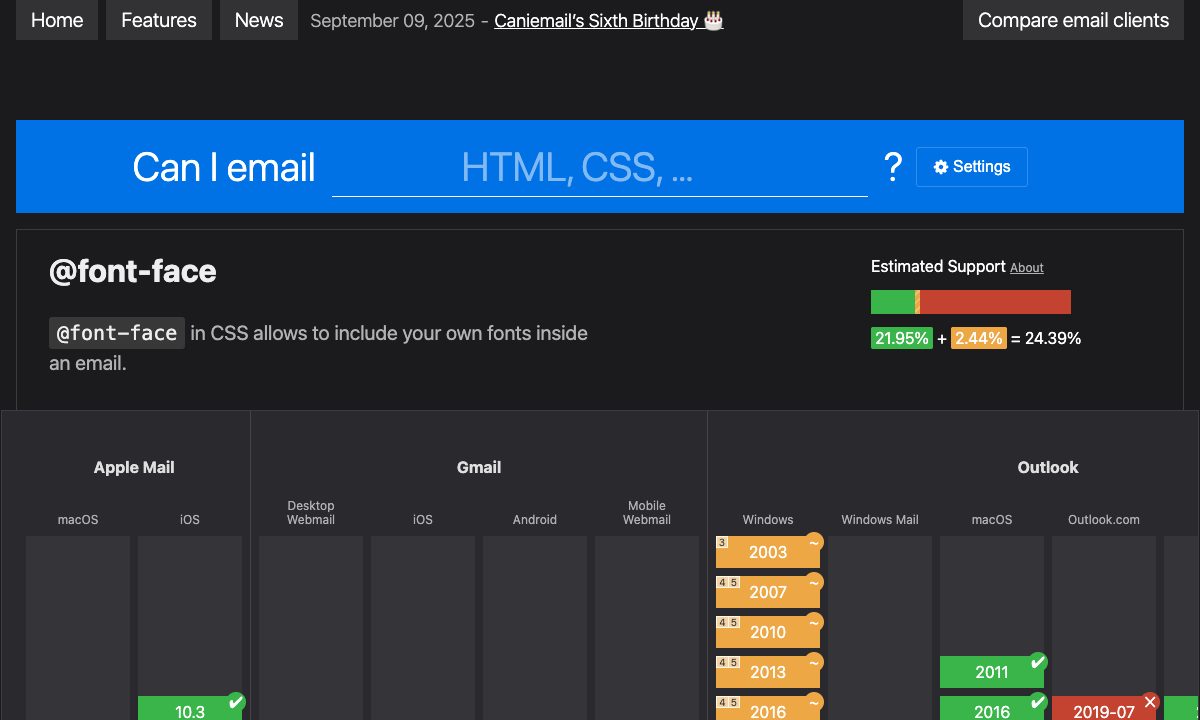
Support today. caniemail rates @font-face at 24.39%. Apple Mail and Samsung Email support it. Gmail does not: caniemail notes that Roboto and Google Sans only appear because Gmail loads them for itself. Outlook.com, Outlook for Mac, the Outlook apps and Yahoo Mail don't support it either. Classic Outlook for Windows reads the declaration but ignores remote fonts.
What to do. Treat the web font as a bonus for Apple Mail readers. Pick a fallback stack that keeps the line length and weight close, so the layout holds when the font doesn't load. If your site has a design system, carry your design tokens into HTML email shows how to keep fonts and colours consistent.
Verdict: fine, as long as the fallback is designed, not an afterthought.
10. Interactive email: AMP, CSS tricks and motion
Interactive email (carousels, tabs, forms inside the message) has been "next year's trend" for a long time. The support data explains why it never arrives.
Support today.
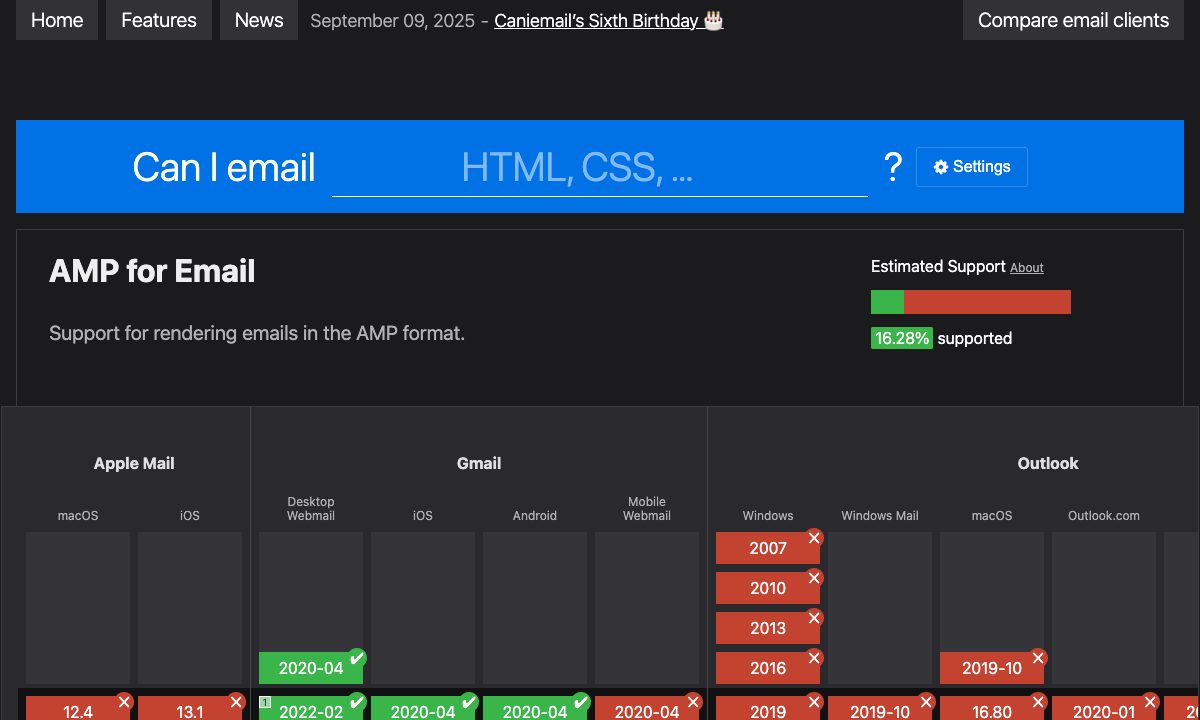
- AMP for Email scores 16.28% on caniemail. Gmail and Yahoo Mail support it. Apple Mail, Outlook and Samsung Email don't.
:checkedtricks (CSS tabs and toggles) score 41.47%. They work in Apple Mail, Yahoo Mail and Samsung Email, but not in Gmail or classic Outlook.- CSS
animationworks only in Apple Mail and Samsung Email, in tests updated in April 2026. - Animated GIF plays almost everywhere. The exception is classic Outlook for Windows: caniemail notes that versions 2007 to 2016 don't play the animation, and that Outlook 2019 with an Office 365 account plays it three times, then stops.
A newer image detail: caniemail's September 2026 tests show that Gmail now displays linked SVG images, but converts them to PNG.
Verdict: mostly skip. If you want motion, use a short GIF whose first frame works on its own. Keep AMP for cases where Gmail and Yahoo Mail make up most of your list and the interaction is worth the extra build.
Which email design trends to adopt in 2027
- Summary-first copy. No code, and it helps in Apple Mail, the Gmail app and for skimmers.
- Dark-mode-safe design. Every client shows dark mode in some way.
- Live text and accessible markup. Cheap, and it helps summaries, screen readers and image blocking.
- A visible one-click unsubscribe. Required by Gmail at volume.
- A fluid single column, with table structure for classic Outlook.
What to skip
- AMP for most senders. Two big providers support it. The rest see your fallback.
- CSS-only interactivity. Gmail strips the
:checkedtrick. - Layouts that need flex or grid with no fallback. Classic Outlook for Windows will be around until at least 2029.
- Brand fonts with no fallback plan. Most readers will never see them.
- BIMI before DMARC. Without
p=quarantineorp=reject, there is no logo.
How to check a trend before you ship it
Support tables tell you what should happen. A real render tells you what does. Send the email to a preview tool and look at it in the clients your readers use, in light and dark mode.
Unspam shows previews in more than 60 clients and devices, dark mode included, and also runs spam tests. Device previews cost $0.10 each, with a $5 monthly minimum. For bigger teams, Litmus vs Email on Acid compares the two larger tools, which cover more clients.
FAQ
What are the biggest email design trends for 2027?
The ones that hold up in real inboxes: dark-mode-safe design, summary-first copy for AI inbox summaries, live text and accessible markup, a fluid single column, and a visible one-click unsubscribe. Each is supported widely enough to use in every campaign.
Does Gmail support dark mode CSS?
No. caniemail lists @media (prefers-color-scheme) and the color-scheme property as not supported in Gmail on the web, iOS or Android. So you can't write Gmail-specific dark styles. Design an email that reads well whatever the client does with its colours.
Can I stop designing for classic Outlook in 2027?
Not yet. Microsoft says existing installs of classic Outlook for Windows are supported until at least 2029, and it will give at least 12 months' notice before each migration stage. Keep table-based layouts.
Do AI summaries replace preview text?
In Apple Mail, they can. Apple's guide says a short summary appears under each email in the inbox when Apple Intelligence is on, unless the reader turns summary previews off. The Gmail app shows Gemini summary cards at the top of longer threads. Write preview text anyway, and put the main point in the first lines of the email.
Is AMP for Email worth it in 2027?
For most senders, no. caniemail lists AMP as supported only in Gmail and Yahoo Mail, with an estimated support of 16.28%. Every other reader sees the HTML fallback, so you build the email twice.
Do I need BIMI?
Not to deliver email. BIMI adds your logo, and in Gmail a checkmark with a VMC. It needs DMARC at quarantine or reject and a VMC or CMC certificate, so it is a step for senders who have already locked down authentication.