Netlify charges in credits. Every plan comes with a monthly allowance, and deploys, bandwidth, requests and compute all draw from it. On the free plan, when the credits run out, every site on the account goes offline until the next month.
This guide is for anyone who deploys a site to Netlify, whether by hand, from Git or from a coding agent. It covers what each plan costs, what a credit buys, and three worked examples for a plain static site. We read every number below on Netlify's pricing page and in its docs on 18 November 2026.
TL;DR
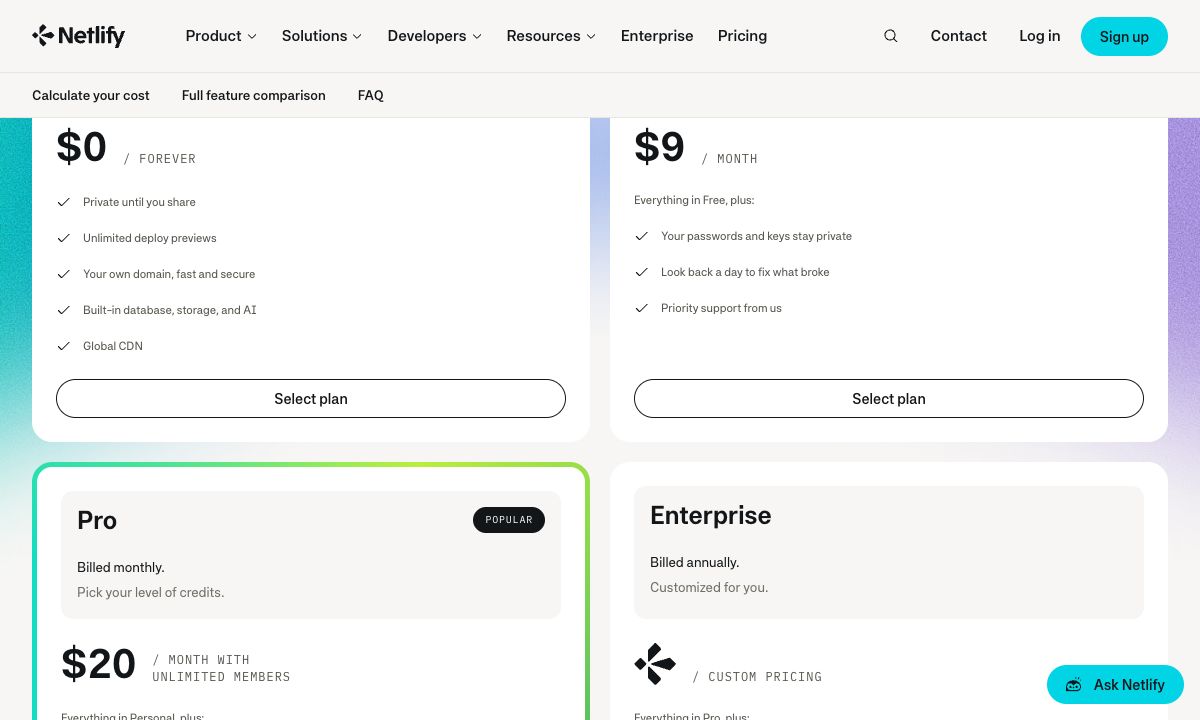
- Free is $0, with 300 credits a month and a hard limit. You cannot buy more credits on Free. When they run out, your sites are paused until the next billing cycle.
- Personal is $9 a month, with 1,000 credits. You can top up: 500 more credits cost $5.
- Pro starts at $20 a month, with 3,000 credits and unlimited team members. Higher Pro tiers go up to 20,000 credits a month.
- On a static site, bandwidth and deploys use the most credits. 1 GB of bandwidth costs 20 credits, and each production deploy costs 15.
- If you only serve static files and want a fixed bill, a host with flat pricing and no meter may suit you better. See the end of this guide.
Netlify plans and prices in 2026
| Plan | Price | Credits a month | More credits | Team |
|---|---|---|---|---|
| Free | $0 | 300, hard limit | Not available | One owner |
| Personal | $9 a month | 1,000 | $5 for 500 | One owner |
| Pro | From $20 a month | From 3,000, with tiers up to 20,000 | $10 for 1,500 | Unlimited members |
| Enterprise | Custom, billed yearly | Custom | Custom | Custom |
All plans include custom domains with SSL, unlimited deploy previews, serverless functions, form submissions and up to 500 projects. Netlify's docs say new accounts have been on credit-based plans since 4 September 2025. Accounts created before then stay on a legacy plan unless they switch, and the docs say a switch to credits cannot be undone.
What a credit buys
Netlify publishes a rate for each thing it meters. These are the ones that matter for most sites:
| What you use | Credits |
|---|---|
| A production deploy | 15 per deploy |
| Bandwidth to visitors | 20 per GB |
| Web requests | 2 per 10,000 requests |
| Functions, preview servers, database compute | 10 per GB-hour |
| AI inference through Netlify's agent and gateway features | 180 per $1 of model cost |
| Form submissions | Free |
Some things use no credits at all: deploy previews, branch deploys and failed deploys. Only a deploy to your live site costs 15.
So a static site pays for three things: how often you publish, how many bytes your visitors download, and how many requests they make.
Three worked examples for a static site
We worked these out from the published rates above. They are estimates, not Netlify's own figures. Netlify has a pricing calculator for your real numbers.
1. What 300 free credits cover on their own. 300 credits are 20 production deploys, or 15 GB of bandwidth, or 1.5 million requests. Not all three: they share one pool.
2. A portfolio that deploys often. Say a coding agent publishes 15 times in a month: 225 credits. That leaves 75 credits, or 3.75 GB of bandwidth, before the site is paused. A page with a few large images can use that in a few thousand visits.
3. A small business site on Personal. 20 deploys (300 credits), 30 GB of bandwidth (600 credits) and 500,000 requests (100 credits) add up to exactly 1,000. That is the whole Personal allowance. One busy month would need a $5 top-up.
The point is not that Netlify is expensive. For many sites 300 credits are plenty. It is that the bill depends on traffic you do not control, and on Free there is no way to pay for more.
What happens when the credits run out
Netlify's docs on paused projects are plain about it. When a team uses up its monthly allowance, every project owned by that team is paused until the next billing cycle. A paused project:
- does not answer web requests, so visitors get a page that says "Site not available"
- does not take form submissions
- does not deploy, including deploy previews and branch deploys
On Free, you have two ways out: upgrade to a paid plan, or wait for the next cycle. On Personal and Pro you can also buy a credit pack, or turn on auto recharge, which buys credits in small amounts as your sites need them. Auto recharge is off by default. Credits you buy this way roll over to later months. Monthly plan credits do not, except on Pro tiers of 5,000 credits or more, where unused credits carry over for one extra month.
If a site matters, two settings are worth a minute: turn on auto recharge on a paid plan, and check the usage page after any launch or post that brings traffic.
What else differs between the plans
Credits are not the only difference. These are the ones we noticed on the pricing page and in the docs:
- History. Observability keeps one day of history on Free and Personal, 7 days on Pro and 30 days on Enterprise. Web analytics keeps one day on Free and 30 days on Pro. For Personal, the pricing page says 7 days and the docs say 24 hours.
- Builds. Free and Personal run one build at a time. Pro runs three. Extra concurrent builds cost $40 a month each.
- Password protection. Only on Pro.
- Team members. Free and Personal have one owner. Pro has unlimited members.
- Support. Free has standard email support. Personal and Pro have priority email support.
If you only host static files
Netlify does a lot: functions, a database, builds from Git, previews for every branch. If your site uses those, the credit system is the price of having them in one place.
If your site is a folder of HTML, CSS and images, you are paying for a meter you may not need. Three hosts with no per-GB meter on static files:
| Host | Price | Custom domain | Metered | Git needed |
|---|---|---|---|---|
| Static.app | From $6 a month, or $60 a year | Yes, from the first paid plan | No, unlimited traffic | No |
| Cloudflare Pages | Free plan | Yes, up to 100 per project | No bandwidth limit listed | No, direct upload works |
| GitHub Pages | Free with public repositories | Yes | Soft limit of 100 GB a month | Yes |
Static.app
Static.app hosts static sites at a flat monthly price. You upload a ZIP or a folder, and the site is live with SSL. Starter is $6 a month, or $60 a year, for 2 sites and 500 MB of storage. Medium is $12 a month for 7 sites and 3 GB. Large is $18 a month for 30 sites and 10 GB. Every paid plan lists unlimited traffic, a custom domain, forms and analytics. It also has an API and an MCP server, so a coding agent can publish to it directly.
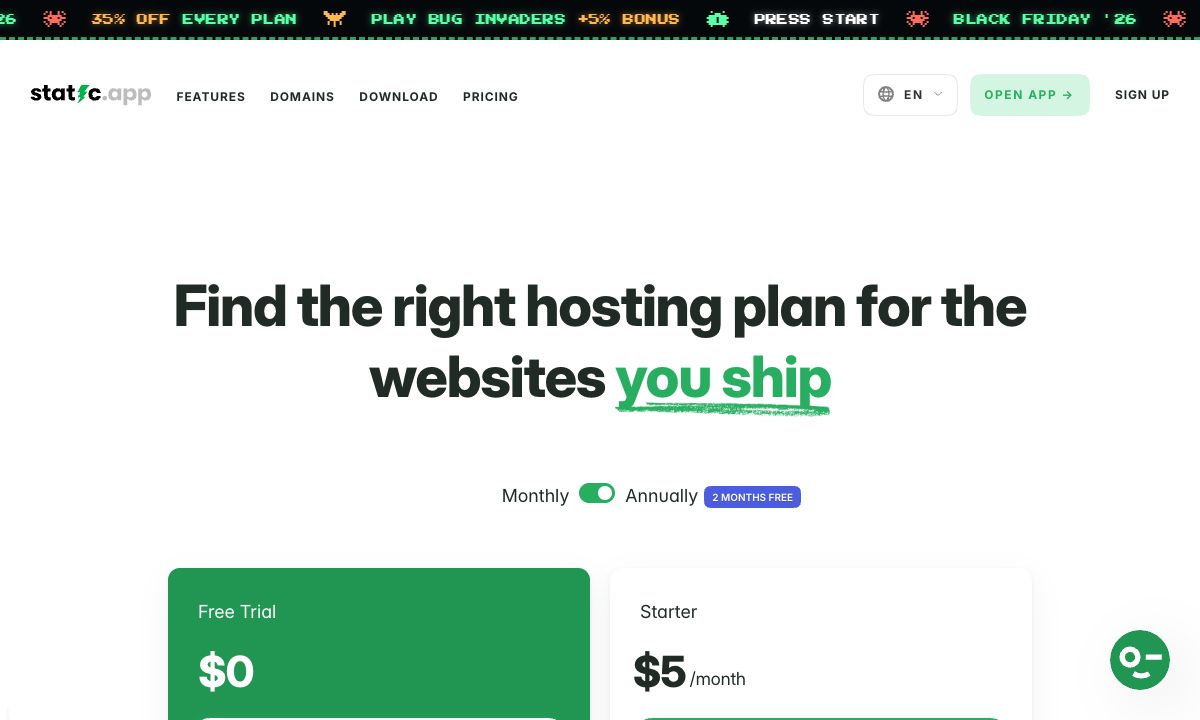
The limits are real, so weigh them. There is no free plan, only a 7-day trial on a free subdomain. It runs no server code and has no database. It does not build your site from Git: you upload the built folder, or deploy it with its API or GitHub Action. And 500 MB of storage on Starter is small for an image-heavy site. Until 1 December, its Black Friday sale takes 35% off the first payment.
Good for: a client site or a landing page where a predictable bill matters more than a build pipeline.
Cloudflare Pages
Cloudflare Pages has a free plan with 500 builds a month, one build at a time, 20,000 files per site, and 100 custom domains per project. Its limits page lists no bandwidth limit for static files. You can connect a Git repository or upload a folder directly. Each file can be at most 25 MiB, and the dashboard is made for developers.
Good for: developers who are comfortable in Cloudflare's dashboard and want to pay nothing.
GitHub Pages
GitHub Pages serves a site from a GitHub repository, free for public repositories. GitHub's limits page sets a 1 GB maximum site size, a soft limit of 100 GB of bandwidth a month, and a 10-minute limit on each deploy. It also says Pages is not for a site whose main purpose is commercial transactions or software as a service.
Good for: documentation, open source projects and personal sites that already live on GitHub.
For a longer list, see the Netlify alternatives compared on bootstrap.build and WebDesignerHut, and Netlify vs Vercel. For Vercel's plans, see Vercel pricing in 2026, and for Cloudflare's, Cloudflare Pages pricing in 2026.
Which Netlify plan should you choose?
- A hobby site with modest traffic: Free. Check the usage page now and then, and accept that a spike can pause it until next month.
- A site that must stay up, run by one person: Personal at $9, with auto recharge on, so a busy month costs a few dollars instead of an outage.
- A team, or a site that uses functions and builds a lot: Pro. Unlimited members and three concurrent builds are the main reasons.
- Plain static files, and you want to know the bill in advance: a flat-price host such as Static.app, or a free one such as Cloudflare Pages if you are fine in its dashboard.
Whichever host you pick, check the page it serves, not only the page you built. Put an agent-built page online, then check the live address shows how.
FAQ
How much does Netlify cost in 2026?
Free is $0 with 300 credits a month. Personal is $9 a month with 1,000 credits. Pro starts at $20 a month with 3,000 credits and unlimited members. Enterprise is priced on request and billed yearly.
What is a Netlify credit?
A credit is the unit Netlify bills usage in. A production deploy costs 15 credits, 1 GB of bandwidth costs 20, and 10,000 web requests cost 2. Deploy previews, branch deploys and form submissions cost none.
Why was my Netlify site paused?
Your team used up its monthly credits. Netlify then pauses every project the team owns until the next billing cycle, and visitors see "Site not available". On a paid plan you can buy credits to bring the sites back. On Free you can only upgrade or wait.
Can I buy more credits on the free plan?
No. Free has a hard limit of 300 credits a month. To get more you need Personal, where 500 extra credits cost $5, or Pro, where 1,500 cost $10.
Do unused Netlify credits roll over?
Monthly plan credits do not, except on Pro tiers with 5,000 or more credits, where they carry over for one extra month. Credits you buy in packs or through auto recharge do roll over.
Is Netlify still good for static sites?
Yes, if your traffic is modest or you want Netlify's other features in one place. If you only need static files online and want a bill that does not change with traffic, a flat-price or free static host is simpler.