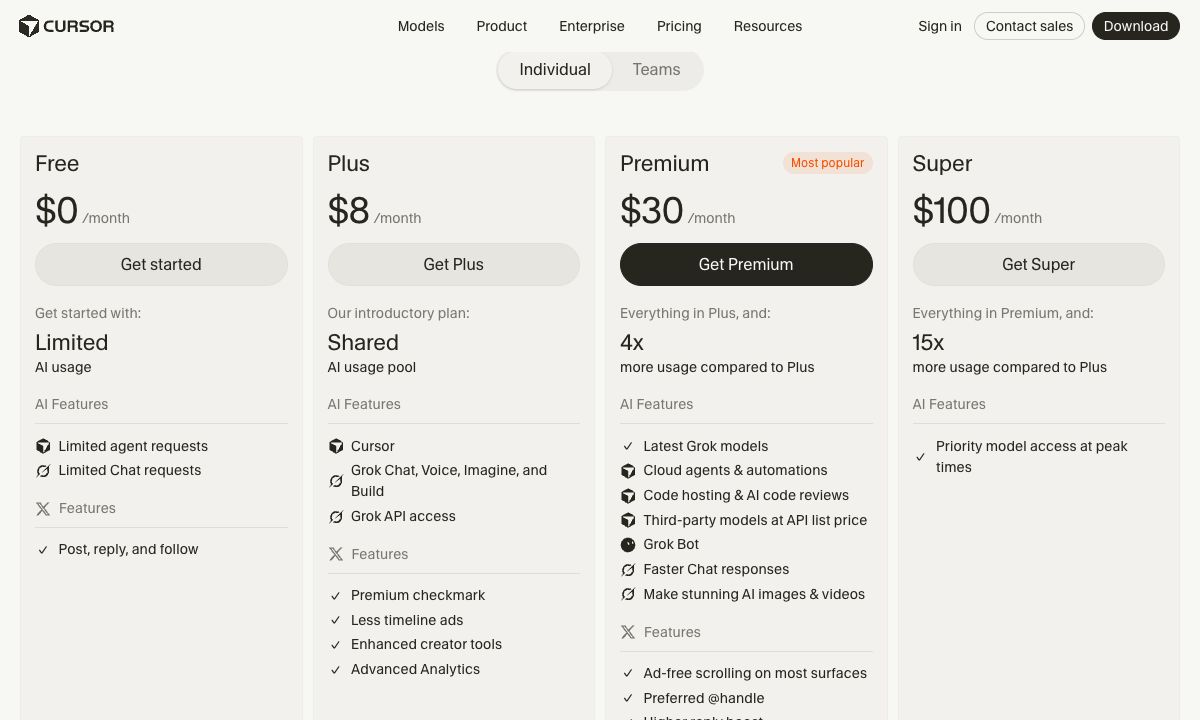
Cursor's pricing has changed. It is now sold as part of The X Subscription, one subscription for Cursor, Grok and X. There are five individual plans: Free, Plus at $8 a month, Premium at $30, Super at $100 and Ultra at $200. Each paid plan includes a weekly pool of usage for Cursor's own models. Third-party models, from OpenAI, Anthropic, Google and others, are not in the pool: on Premium and up you pay their API list price from prepaid credit.
This guide is for developers who use Cursor or are choosing a coding agent. We read every number below on Cursor's pricing page and in its docs on 19 November 2026. If you are on an older Cursor plan, such as Pro or Pro+, see the section on legacy plans.
TL;DR
- Cursor is sold as The X Subscription, which also covers Grok and X features. Cursor's FAQ says subscriptions are sold only through X Subscription Corp.
- Plus is $8 a month, with Cursor's own models only: no third-party models, no Cloud Agents, no own API keys.
- Premium is $30 a month, with 4 times Plus's usage, Cloud Agents, code review, and third-party models at API list price.
- Super is $100 and Ultra $200, with 15 and 50 times Plus's usage.
- Usage refreshes weekly, not monthly. When the pool runs out, you wait, pay from prepaid credit, or upgrade.
- Third-party models are never in the pool. On Premium and up they are billed at API list price from the first request.
Cursor plans in 2026
| Plan | A month | A year | Usage pool | Third-party models |
|---|---|---|---|---|
| Free | $0 | $0 | Limited | Not available |
| Plus | $8 | $80 | Base | Not available |
| Premium | $30 | $300 | 4 × Plus | API list price, from prepaid credit |
| Super | $100 | $1,000 | 15 × Plus | API list price, from prepaid credit |
| Ultra | $200 | $2,000 | 50 × Plus | API list price, from prepaid credit |
| Teams | $30, $100 or $200 per seat | Not listed | Matches the seat's tier | API list price, plus the Cursor Token Rate |
| Enterprise | Custom | Custom | Pooled | API list price, plus the Cursor Token Rate |
Prices exclude tax. Annual billing is $80 a year for Plus, $300 for Premium, $1,000 for Super and $2,000 for Ultra, which saves up to two months a year.
What each plan adds. Plus runs Agent with Cursor's own models at fixed settings: medium effort, with Fast mode off. Premium adds Cloud Agents and Automations, code hosting on Cursor's Origin, code review with Bugbot, third-party models and Grok Bot. Super adds priority model access at peak times. Ultra adds the earliest access to new products and models.
The X part. Each plan also includes X and Grok features, such as Grok Chat, image generation and, from Plus up, a premium checkmark and fewer ads on X. If you only want a coding agent, you pay for these anyway.
How Cursor's usage pool works
Cursor's docs describe one pool of usage per paid plan. It covers Cursor's own models, named in its docs as Grok 4.7, Grok 4.6, Grok 4.5 and Composer 2.5. The pool is shared across everything on the subscription: Agent in the editor, the CLI, Cloud Agents, Grok Bot and the Grok apps.
- It refreshes weekly. Cursor says this means one heavy day does not use up your month. Unused usage does not roll over.
- Models draw at different rates. Your remaining usage and next reset date are shown in your editor settings and in the Grok dashboard.
- When it runs out, you can wait for the reset, keep going on prepaid credit at per-model rates, or upgrade. Cursor says requests are never downgraded in quality or speed.
Prepaid credit pays for two things: third-party models, and Cursor's own models beyond your weekly pool. You can top up by hand or turn on Auto Top-up. A monthly additional usage limit caps what you can spend, however much credit you hold. Cursor's help page says each top-up expires 365 days after purchase.
Third-party models
Models from OpenAI, Anthropic, Google and others are not in the weekly pool on any plan. On Premium, Super and Ultra they are billed at the model's API list price from the first request, out of prepaid credit. Free and Plus cannot use them at all.
On individual plans, requests made with your own API key go to your provider's bill and do not touch your pool or credit.
So a developer who mostly uses Anthropic's or OpenAI's models in Cursor pays $30 a month for Premium, plus every request at list price. The pool only helps if you use Cursor's own models.
Teams and Enterprise
Teams is priced per seat. Each member gets a Premium, Super or Ultra seat, at $30, $100 or $200 a month, with the same weekly usage as the individual plan. You can mix tiers on one team. Plus is not available for teams. Teams adds centralized billing, usage analytics, team-wide privacy mode, SAML or OIDC single sign-on and a team marketplace for rules, skills and plugins.
The Cursor Token Rate. On Teams and Enterprise, eligible third-party model requests carry an extra $0.25 per million tokens on top of the model's API price, including requests made with your own API key. It does not apply to Cursor's own models. Individual plans do not pay it.
Enterprise adds pooled usage across the organization, invoicing, SCIM, granular spend controls, audit logs and priority support.
If you are on a legacy Cursor plan
Cursor's docs call Pro, Pro+, Ultra, Start, and Teams Standard and Premium seats legacy plans. They keep working as they were. Their usage is split into two monthly pools: one for Cursor's models and one for third-party models at the provider's price. When you hit the limit, you turn on on-demand usage or upgrade. Usage resets monthly with your billing cycle, not weekly.
Which Cursor plan should you choose?
- Trying Cursor: Free, with limited agent and chat requests.
- Light use with Cursor's own models: Plus at $8. Know that it has no third-party models, cloud agents or own keys.
- Most developers: Premium at $30, which Cursor itself recommends for new users. Budget extra if you prefer third-party models.
- All-day agent use: Super at $100, which Cursor recommends for daily agent users.
- A team: Teams seats at the tier each person needs. Count the $0.25 per million token rate on third-party models.
Publish what you build
A coding agent can build a site in minutes. Putting it online, at an address you can share, is a separate step. If what you built is static HTML, CSS and JavaScript, these hosts serve it without a server:
| Host | Price | Custom domain | Metered | How an agent publishes |
|---|---|---|---|---|
| Static.app | From $6 a month, or $60 a year | Yes | No, unlimited traffic | API, GitHub Action or MCP server |
| Cloudflare Pages | Free plan | Yes | No bandwidth limit listed | Command line or Git |
| GitHub Pages | Free with public repositories | Yes | Soft limit of 100 GB a month | Git push |
Static.app
Static.app hosts static sites at a flat monthly price. You upload a ZIP or a folder, and the site is live with SSL. It has an API, a GitHub Action and an MCP server, so a coding agent in Cursor can publish to it directly; Static.app has a page on hosting sites built with Cursor. Starter is $6 a month, or $60 a year, for 2 sites and 500 MB of storage. Medium is $12 a month for 7 sites and 3 GB. Large is $18 a month for 30 sites and 10 GB. Every paid plan lists unlimited traffic, a custom domain, forms and analytics.
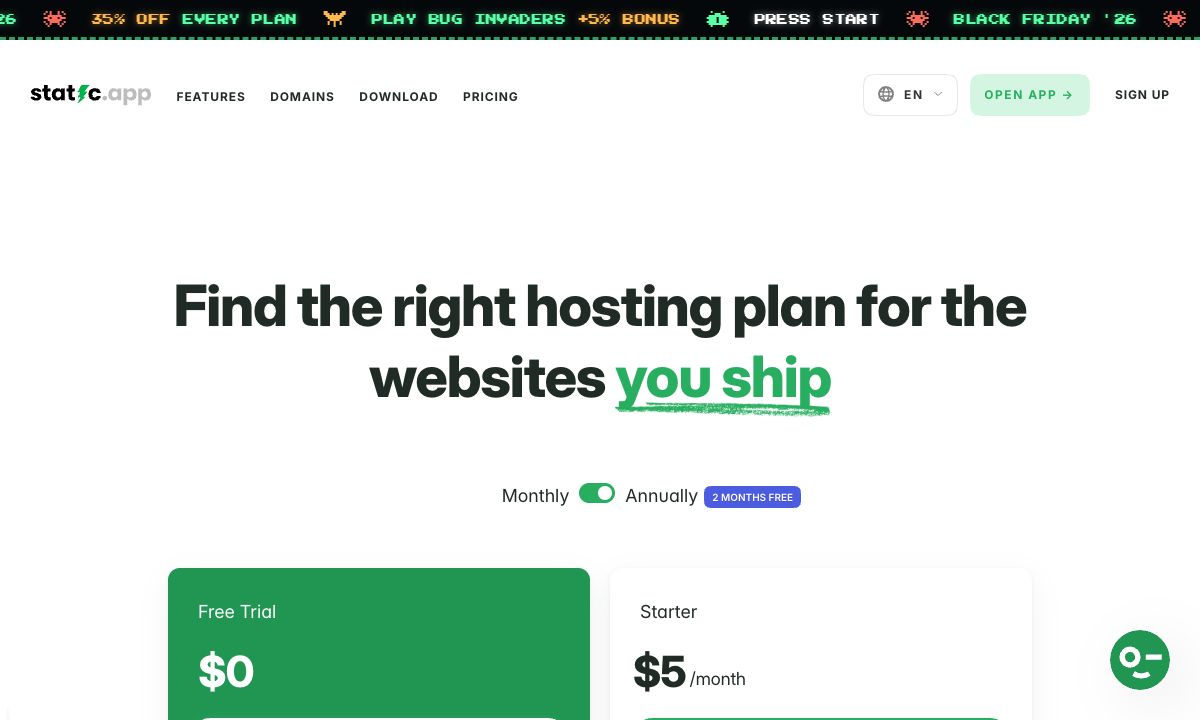
What it does not do: it runs no server code, so a Next.js app with server rendering or an API will not work there. There is no free plan, only a 7-day trial on a free subdomain. It does not build from Git. And 500 MB of storage on Starter is small for an image-heavy site. Until 1 December, its Black Friday sale takes 35% off the first payment.
Good for: landing pages, portfolios and client sites built in Cursor that need a fixed bill and a custom domain.
Cloudflare Pages
Cloudflare Pages has a free plan with 500 builds a month, 20,000 files per site and 25 MiB per file. Its docs say requests for static files are free and unlimited.
Good for: developers who want free static hosting and are at home with Cloudflare's command line. See Cloudflare Pages and Workers pricing in 2026.
GitHub Pages
GitHub Pages serves a site from a GitHub repository, free for public repositories, with a soft limit of 100 GB of bandwidth a month. GitHub says it is not for sites mainly for commercial transactions or software as a service.
Good for: documentation and open source projects already on GitHub.
However you publish, check the live page against your design. Put an agent-built page online, then check the live address shows how. For other coding tools, see Windsurf pricing in 2026 and Bolt.new pricing in 2026.
FAQ
How much does Cursor cost?
Cursor has a free plan, then Plus at $8 a month, Premium at $30, Super at $100 and Ultra at $200. Teams seats are $30, $100 or $200 a month. Yearly billing is $80, $300, $1,000 or $2,000.
Why is Cursor part of The X Subscription?
Cursor's docs say it is sold as part of The X Subscription, one subscription for Grok, Cursor and X, and its FAQ says subscriptions are sold only through X Subscription Corp. Each plan includes X and Grok features alongside Cursor.
Does Cursor Plus include third-party models?
No. Plus includes Cursor's own models only. Premium and higher plans can use third-party models at the model's API list price, paid from prepaid credit.
How often does Cursor's usage reset?
Weekly, on The X Subscription plans. Legacy Cursor plans such as Pro and Pro+ reset monthly with the billing cycle. Unused usage does not roll over on either.
What happens when I hit Cursor's usage limit?
You can wait for the weekly reset, keep working from prepaid credit at per-model rates, or upgrade to a plan with a larger pool. Cursor says requests are not downgraded in quality or speed.
What is the Cursor Token Rate?
An extra $0.25 per million tokens on eligible third-party model requests on Teams and Enterprise plans, on top of the model's API price, including requests with your own API key. Individual plans do not pay it.